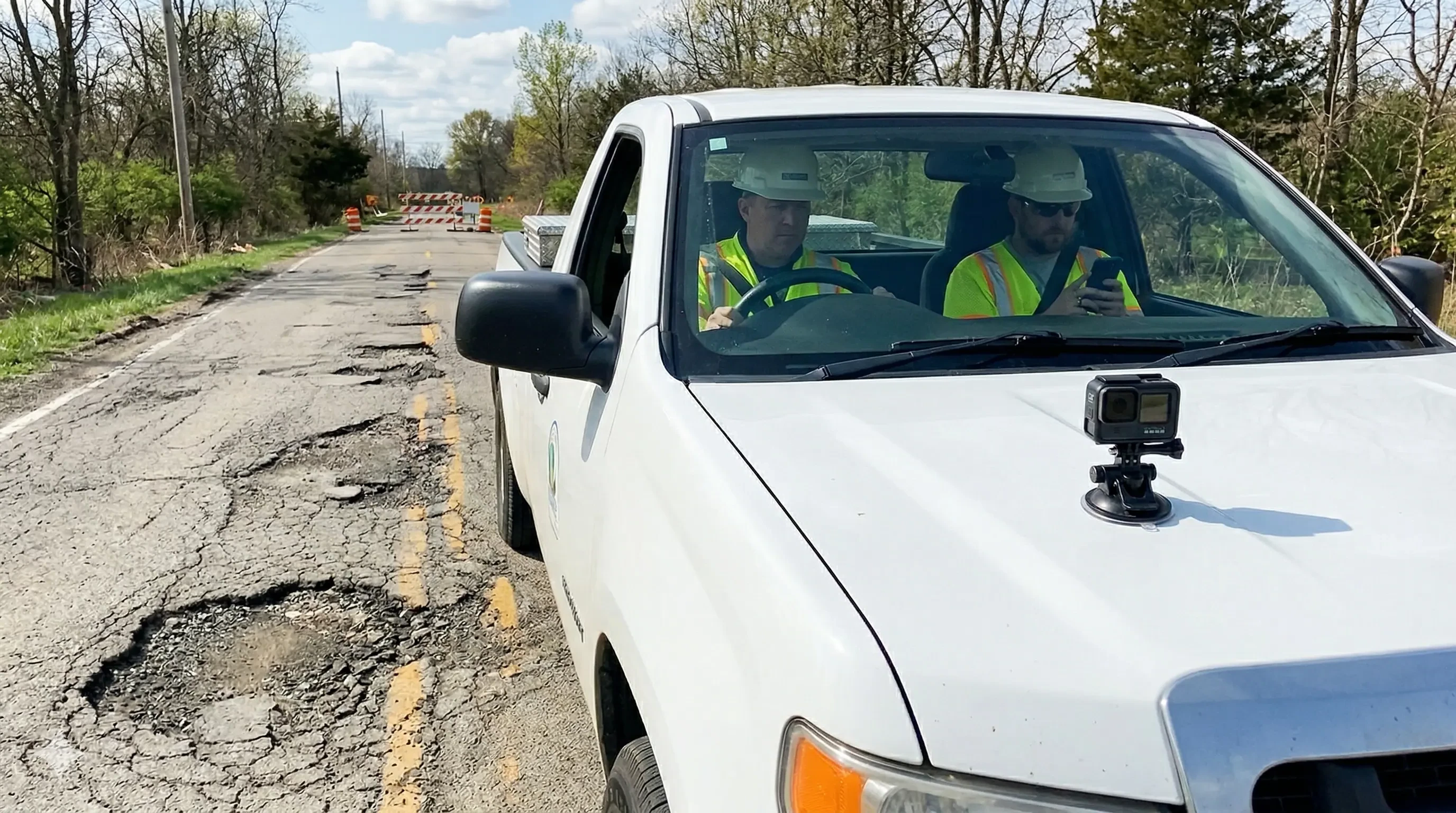
Road surveying, made easier
Record road video with your phone or a connected GoPro and upload it directly to Flowity for analysis. The app helps teams collect the footage needed to turn road conditions into structured data.
How it works
Capture, connect, and upload, all from one app.
Use the Flowity App to record road footage in the field and send it to Flowity for analysis.
Set up your camera
Download the Flowity App and choose whether to record with your phone camera or a connected GoPro. The app guides you through setup so the footage is ready for analysis.
Record your survey
Create a survey and start recording. The app helps keep the right video settings in place while you collect road footage in the field, even when connectivity is limited.
Upload for analysis
Record offline in the field and upload automatically via Wi-Fi once you are back at the depot. Flowity then processes the footage for road condition analysis, identifying defects, signs, road markings and other relevant road features.
View Results
Access your results through the Flowity web interface. View road features, such as defects, signs, and road markings. Gain a clear understanding of your road conditions. Create, export, and share reports with your team.
Flowity App pilot
Join the Flowity App Pilot
Be among the first to try the Flowity App. As a pilot user you'll get early access before the public launch and the chance to shape the product with your feedback.
- Early access before public launch
- A chance to give feedback on features and workflow
- Support from the Flowity team during testing
Sign up for the pilot
Pilot Process
What to expect
Join the pilot program to get early access to the Flowity App and help shape its development with your feedback. Here's what you can expect from the process:
Sign up
Fill in the form and we'll add you to the pilot list
Get invited
We onboard pilot users in small batches. You'll receive an email with download instructions
Test & feedback
Use the app on real projects and share your experience
Launch
Pilot users get continued access and priority support
Frequently Asked Questions
The app is free to download. Video analysis is billed through your existing Flowity subscription.
1080p is recommended for optimal analysis accuracy. 4K is supported but uses more storage and bandwidth.
Yes, the app works with your phone's built-in camera. A GoPro is optional but recommended for the best experience.
All uploads are encrypted in transit and at rest. Data is processed in GDPR-compliant EU data centres. To learn more, see our Privacy Policy.
Learn more →We're targeting Q3 2026 for the public release. Pilot users get access ahead of launch.
The app currently only supports GoPro cameras and the inbuilt phone camera.
Have further questions?
Contact us